Pawstalgia app icon
Pawstalgia Pet diary · iPhone

Every little moment
with your pet, kept.

Jot down the cute stuff, rediscover an old memory every day, and keep deworming, vaccines and vet visits on one timeline with reminders. Everything stays on your phone.

Download on theApp Store Available now · iPhone
  • Free, no in-app purchases
  • No ads
  • No account needed
  • English · 简体 · 繁體
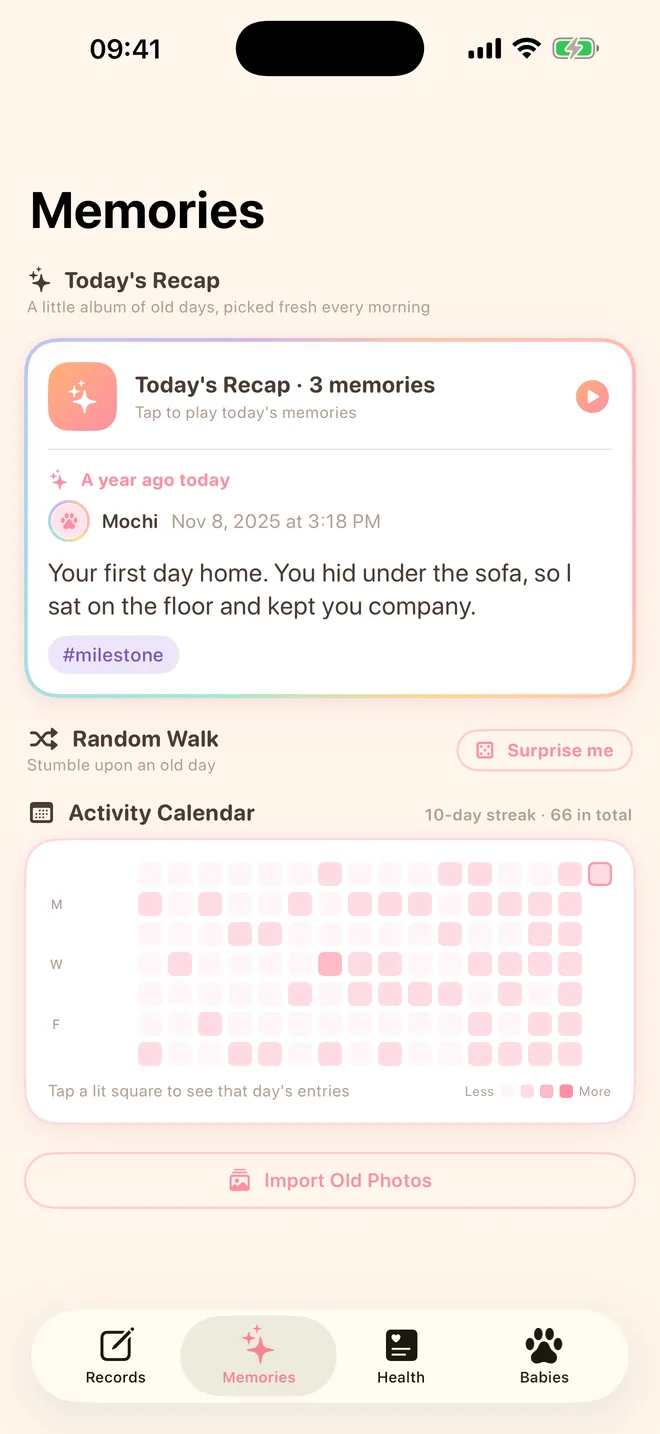
Pawstalgia Memories screen: Today's Recap showing a memory from a year ago, Random Walk, and the activity calendar
Four tabs, just enough

Days, memories, health, profiles

No clutter. Just the few things pet parents actually reach for, done well.

Records

Capture the cute moments as they happen

Open and write. Text, photos and tags on one card, arranged into a timeline that is all about them.

  • Up to 9 photos per entry, plus #tags to find things later
  • Multiple pets? Filter by pet or tag in one tap
  • Health records show up in the feed with a small badge
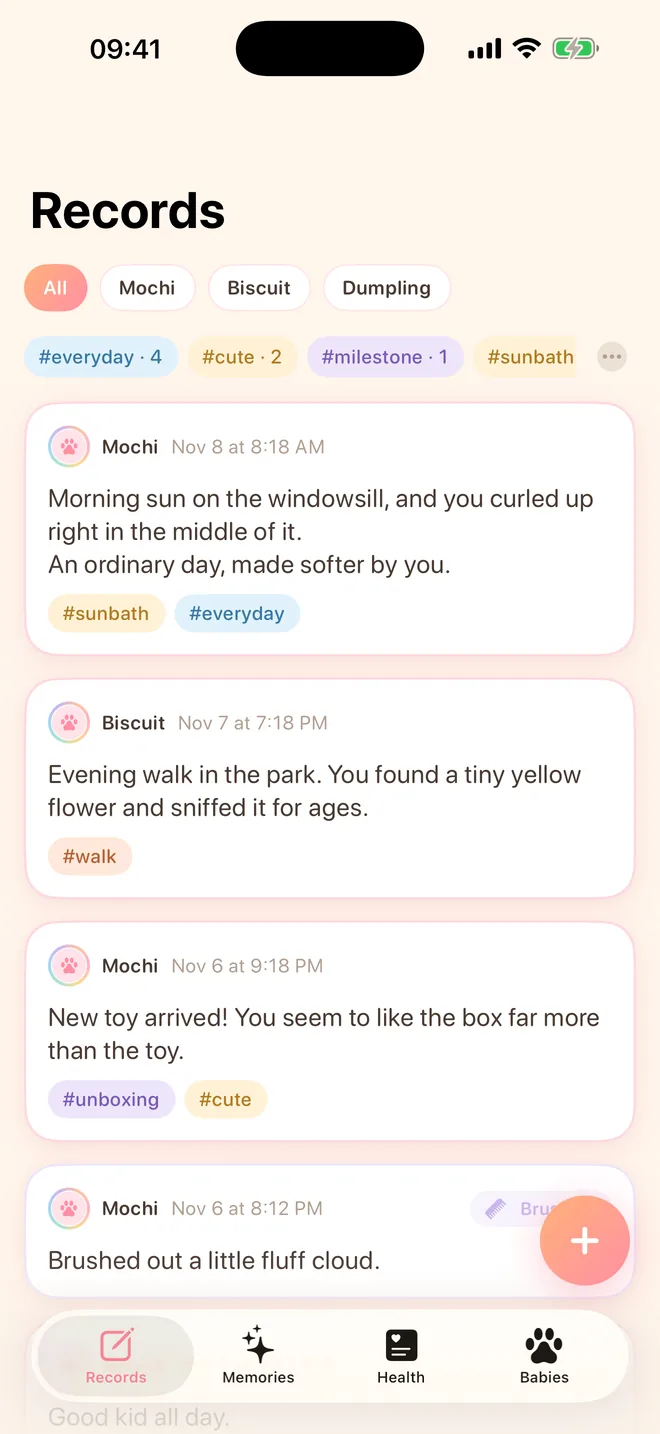
Pawstalgia Records screen: pet and tag filters above tagged journal cards
Memories

A little piece of the past, every day

Today's Recap picks a small album each day. "A year ago today" and "a month ago today" come first, played as a full-screen story.

  • Random Walk: flip to a random old entry
  • Activity calendar: see the days you showed up for them
  • Import old photos, turned into entries by capture date
Pawstalgia Memories screen: Today's Recap, Random Walk and the activity calendar
Health

A pet health log on one timeline

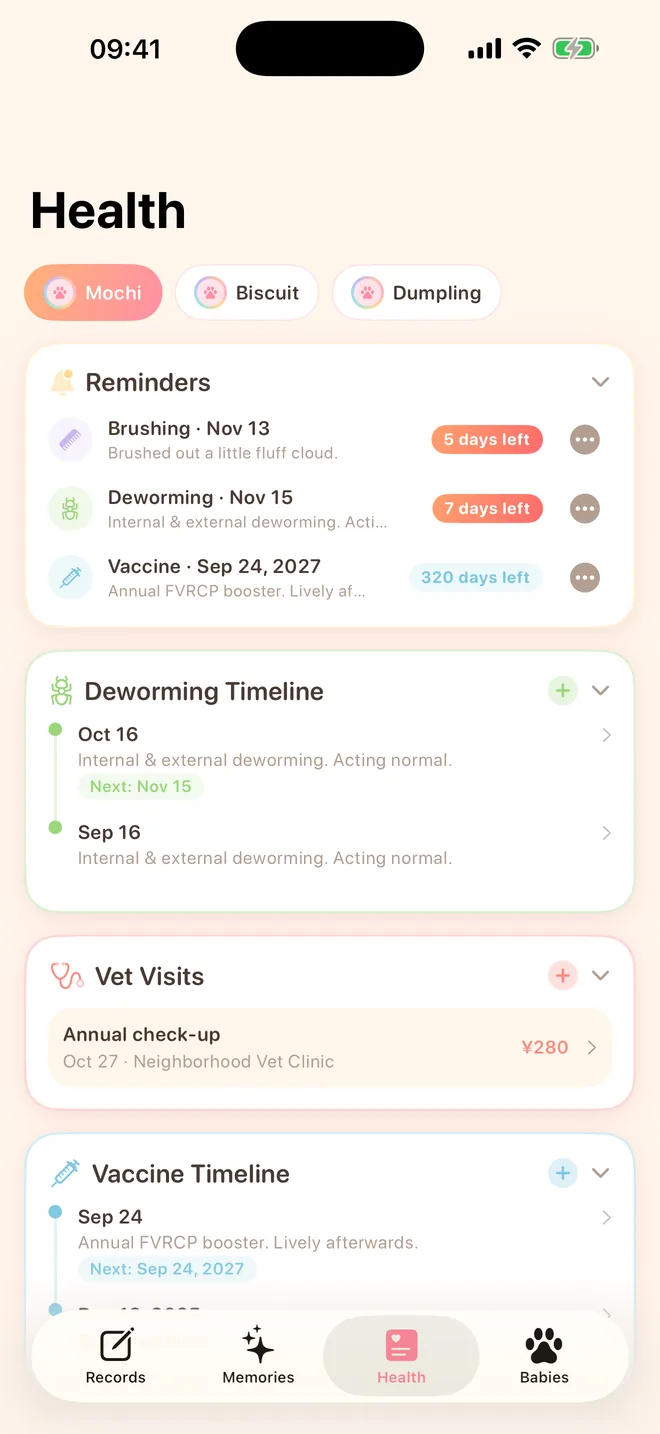
One health record per pet. When was the last deworming, when is the next vaccine due, what did that vet visit cost? It is all right there.

  • Deworming and vaccine reminders, 10 days ahead and on the day
  • Vet visits with clinic, diagnosis, cost and lab-report photos
  • Baths, brushing, food changes: create your own categories and reminders
Pawstalgia Health screen: upcoming reminders, deworming timeline, vet visits and vaccine timeline
Babies

A profile for every furry family member

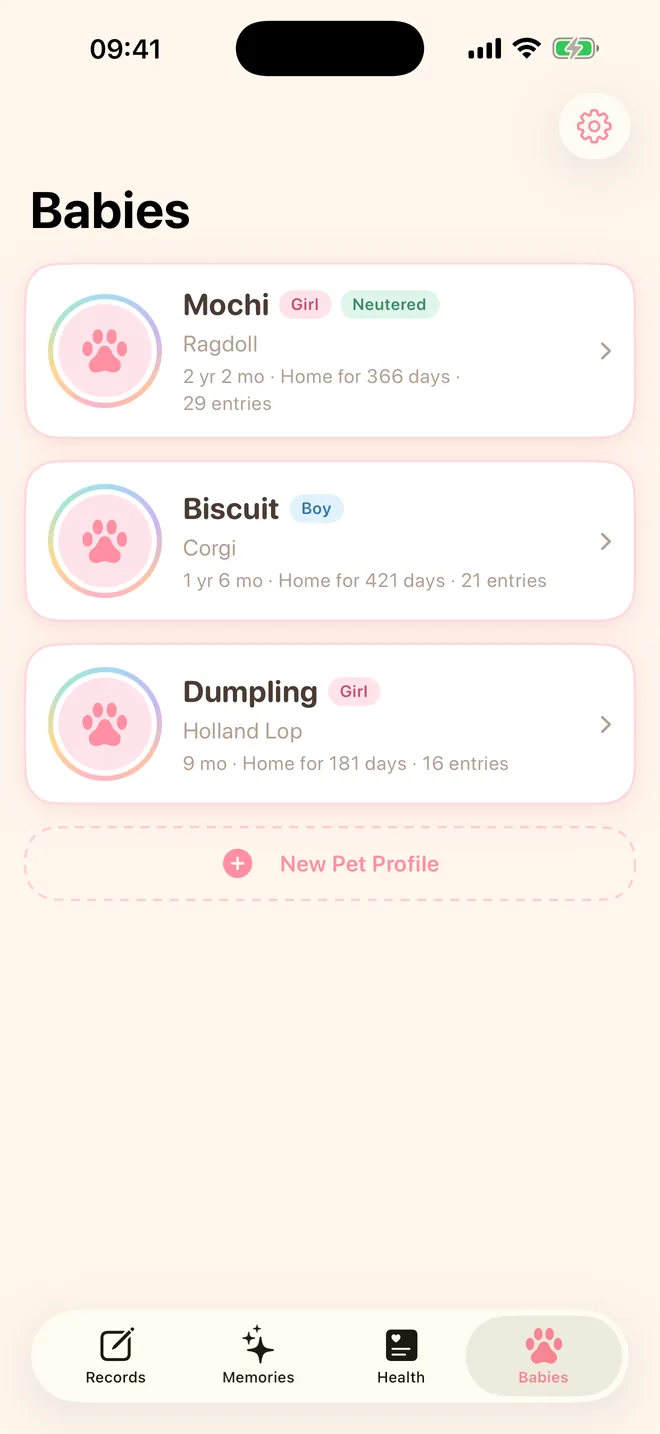
Name, breed, birthday, gotcha day, sex and neuter status, all on one card.

  • Age and days at home, calculated for you
  • Cats, dogs, bunnies: one profile each
  • Export your text records or erase everything from Settings
Pawstalgia Babies screen: profile cards for three pets with breed, age, days at home and entry count

Your records stay on your phone.

Pawstalgia has no accounts and no servers of ours. Pet profiles, photos, entries and health records live only on your iPhone.

  • No sign-up, just open itNo phone number, email or account. Every feature works right away.
  • No uploads, no syncYour records never leave your device. We can't see them or access them.
  • No ads, no trackingNo advertising, no analytics, and no third-party SDKs.
  • Take it or clear it, anytimeExport your text records as JSON, or erase all data in Settings.

Reminders are local iPhone notifications and never pass through a server. Read the full Privacy Policy.

FAQ

Good questions

Is Pawstalgia free?

Yes. No in-app purchases, no subscriptions and no ads. If paid features are ever added, prices and rules will be explained on the App Store page and on this site first. Using the app today never authorizes future charges.

Where is my data stored?

Everything stays inside Pawstalgia on your iPhone. Nothing is uploaded to our servers and there is no cloud sync, which also means we cannot view, recover or restore your records remotely.

What happens when I switch phones or delete the app?

App data usually moves to a new iPhone along with your system backup (iCloud Backup or a computer backup) or Quick Start migration, depending on your settings. Confirm your backup has finished before switching, then open the app to check.

Deleting the app deletes all of its records. The "Export Data" file in Settings contains text and photo filenames only, not the photos, so it is not a complete backup.

Which devices and languages are supported?

iPhone with iOS 17 or later. The app is available in English, Simplified Chinese and Traditional Chinese, switchable in Settings.

How do I get in touch?

Email mirror919518062@gmail.com with your app version, iOS version and the steps to reproduce the problem.

Please redact unrelated personal details in screenshots, and never send passwords, verification codes, identity documents or full data exports.